Showing posts with label o365. Show all posts

Tuesday, May 16, 2017

SharePoint Virtual Summit : Office 365 with OneDrive and SharePoint

I attended the SharePoint Virtual Summit today which was dedicated to Office 365 with OneDrive and SharePoint. Some really great announcements were made today, the one about Communication sites was no doubt the big one for me!!!


Share with confidence 

·        OneDrive lets you get to all your files on any device
·        Collaborate with deep Office Integration
·        Share with colleagues inside and outside your organization
·        Every office 365 group gets a SharePoint team site
·        New web and mobile experiences
·        Collaborate on intranet and in Microsoft teams


            New:
·        See and sync all of your files with Files ON-Demand
·        Share seamlessly from file explorer and finder
·        Connect existing sites to office 365 groups
·        Add groups resources to navigation & pages 
·        Add SharePoint pages to Microsoft Teams


OneDrive admin center has options for Link expiration and who can have access (domain)
Once the admin sets the policy, end user cannot extend the dates for sharing.


Transform Business Process

·        Gather and manage Data and files in SharePoint
·        Automate Process and connect data with Microsoft Flow
·        Create mobile apps with Microsoft PowerApps

                  New:
·        Simple approval and feedback flows
·        Trigger and share flows in lists & libraries
·        PowerApps forms inside SharePoint lists & Libraries

Inform and engage employees

·        Brings award-winning intranets to the cloud
·        SharePoint home surfaces news & Activity
·        Create beautiful, natively mobile pages

New:
·        Communication sites reach a broader audience mobile ready, faster sites with richer layout 
·        Easy build pages with new layout options
·        New web parts drive engagement & interactivity


Harness collective knowledge


·        Find what you need with powerful search
·        What you need finds you with discovery experiences
·        Learn about co-workers using intelligent people cards

New:
·        Personalized search lets you find it fast
·        Find expertise by searching skills, interests and projects stored in o365 profiles
·        Build communities with SharePoint & Yammer

Manage 

·        Rest easy with global scale, reliability and compliance
·        Protect your content with security controls
·        Bring office 365 to your data center with hybrid capabilities


New:
·        Modern SharePoint admin experience
·        Service-level encryption using customer keys
·        Conditional access policies per site


Extend 


·        Modern client-side development with SharePoint Framework
·        Business process across Office 365 with flow and web hooks
·        Single end-point for sites, and beyond Microsoft Graph

New:
·        SharePoint Framework extensions for sites and libraries
·        Graph and Webhooks across sites and lists
·        SharePoint Framework for SharePoint Server 2016 in FP2


SharePoint and OneDrive support file sizes up to 10GB 
Microsoft is announcing intelligent indexing today, a series of engineering improvements to gradually eliminate the throttles that kick in for large lists (max capacity 30MM)

Certificates 


Microsoft Ignite information 


MS BUILD


Admin center 


https://techcommunity.microsoft.com/t5/SharePoint-Blog/Introducing-the-new-SharePoint-Admin-Center/ba-p/70294

Communication sites


https://blogs.office.com/2017/05/16/sharepoint-virtual-summit-showcases-growth-innovations-and-customer-success/ 


Some key features to look forward to:


  • PowerApps eventually will have the ability to change Ownership of a PowerApps, or share them the way Flow now has "Team Flows"
  •  Integrate apps built using PowerApps with the SharePoint Libraries.
  •   You can build Microsoft Flows that will assist with many objectives you may have that involve SharePoint Libraries, and can run the Flow from the app or independently of it. Here is some helpful content: https://flow.microsoft.com/en-us/blog/flow-in-spo-document-libraries/
  •  SPFX will be released in OnPrem SharePoint - Scheduled as part of Feature Pack 2 for SharePoint 2016 in the second half of this year.
  •  Plans to enable simple Renaming of O365 Groups (and their associated sites, alias etc.) 


Wednesday, March 12, 2014

SPC 2014 @Las Vegas - What a Cloudy conference !


With the location as lucrative as Las Vegas - The Venetian, why wouldn't I want to attend the conference! From Neudesic, I was one of the handful who got to attend the conference, What excited me was the announcement on their home page: President Bill Clinton was the keynote speaker.. and a ton of sessions for the cloud platform!!
 
Keynote: Bill Clinton
 While the keynote was in progress, I did understand that the prime reason Bill Clinton was invited was to discuss conference’s main theme “How technology allowed people to connect, transform, reshape, and played a huge role to solve much bigger humanity issues”


I kind of enjoyed President Bill Clinton’s non-technical speech, since we are so used to hearing all the technical buzzwords in the keynote. He did not mention the word SharePoint even once in his entire speech. That’s being technology agnostic but promoting how we can Connect, Re imagine and Transform.


video of Keynote: 


Work like a network:


Key Announcements:


  •  I was very anxious to see the full integration of Yammer’s social capabilities into SharePoint. And to say the least I actually used it in MYSPC and am still in the process of exploring more about this. 

  • A new set of API’s are now available across Office365, which can be used in Office Apps & SharePoint Apps. o365 provides now a seamless way to integrate across. You can now use the same API to upload a file to OneDrive for Business, or get a list of o365 users, or integrate with an Exchange calendar. A new Site Provisioning API is a great one to look out for!

  • Groups in Office 365 was talked about. Creating a new group in will create an inbox, social feed, calendar, and document library that group members can use to get the job done. All the social features now leverage email and yammer.

  •  Apps for Access: Access Services was widely talked about, but still needs to be evaluated before gaining credibility.

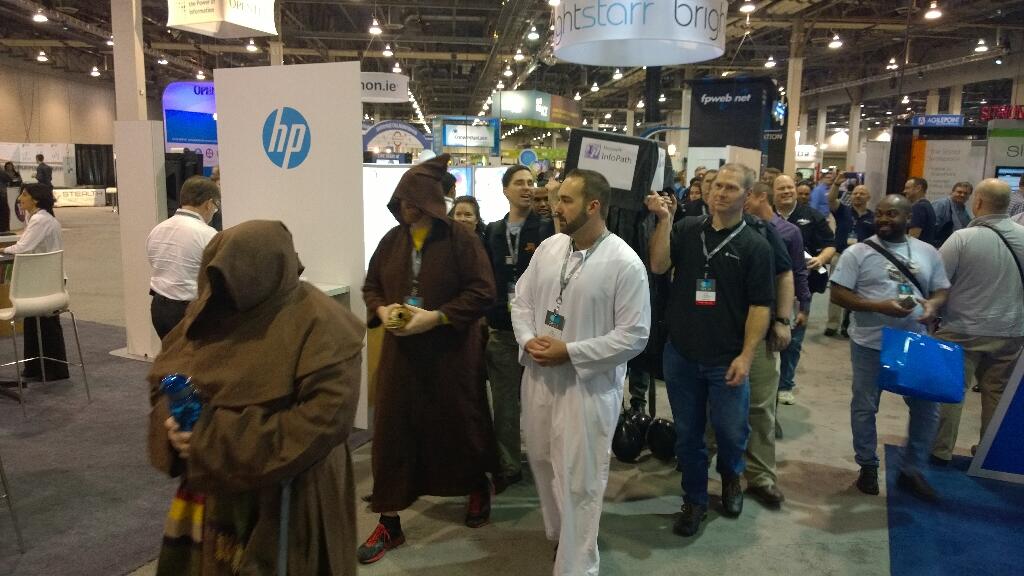
  • InfoPath has died… The ListForms is the true replacement for InfoPath, it’s all HTML5, but it’s also quite basic and new right now. . There was even a funeral ceremony for this.


Here is the roadmap that was discussed in one of the sessions:


The new route is to choose from the below carefully:

  1. K2 Smart Forms
  2. Nintex
  3. Formotus
  4. QDabra


  •   OneDrive for Business as a standalone service – its cloud only. 25GB per user, Promotional pricing: $2.50 per user per month in all licensing agreements/programs (50% discount). For customers with Office with SA or Office 365 ProPlus: $1.50 per user per month; agreement types included: Open, Enterprise Agreement, and MPSA.  (One Drive Blog Here)

  •   OSLO: One secret sauce that was exposed to the world in SPC14 was Office Graph and codename Oslo - an innovative solution for personalized work spaces. Oslo is a code name for new people-centered personalized & contextual experience and proactive insights in o365. Users will get information through personalized insights that are created by analyzing content, interactions, and other activity streams across o365, Oslo experience will be available by second half of 2014 in o365, No on-premises roadmap available for Oslo.  More details here.


Office 365 Innovations:

  •   1 TB Site Collection, Limitless Tenant (customers pay for storage)


  •   Codename Fort Knox – encrypting shredded storage  Multi-Factor Authentication Support for General Users – It’s been available to Admin Users since June 2013, available for any users since Feb 2013, increases the security of user log ins for cloud services above and beyond just a password, users are required to acknowledge a phone call, text message, or an app notification on their smart phone after correctly entering their password  Next-Gen pre-built portals like new Office 365 Video Portal (many more pre-built portals are coming down the road in Office 365) – Soon available on Office 365
 
  •  Office Power BI capabilities - Already available on Office 365  Get it here to start a free trial for 30 days on o365 environment.
 
  • Integrated Yammer Group experience in OWA, new Office 365 Video Portal, and Office Online (formerly known as Office Web Apps) – Soon available on Office 365


Jared Spataro aptly mentioned that “Cloud is on fire”  & Jeff Teper went on to say that “Cloud is the key”.

This year’s conference without a doubt demonstrated that o365 is where all the innovation happens and is the favorite child of Microsoft.

WOMEN EMPOWERMENT :

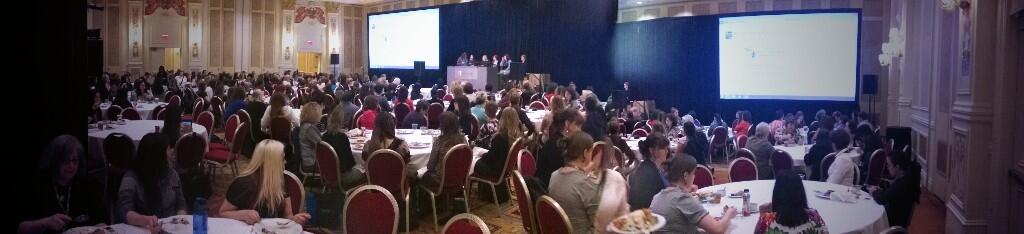
I have never been so motivated to go attend any women specific seminars, but my friend wanted to go and so I accompanied her. Women in SharePoint (WSP) is dedicated to helping women working as SharePoint professionals reach their career objectives through a variety of community, training and mentoring programs. I attended the lunch meeting with quite a handful of women in Technology Lunch and Panel and was happy to see the panel and their expert comments and suggestions. Glad I went there, it was an experience of its kind. Very Inspirational and once again reassured me that all of the celebrity SharePoint Women face similar challenges as I do and come up with innovative solutions to set themselves up for success!!! We all have to make some difficult decisions from time to time and EMBRACE ourselves.
SharePoint Conferences are unique and affect my professional career at a lot of different levels. It gets me focus on my career in the right direction, I learn about the new SharePoint related products and vendors. I connect with my very own Neudesic people whom I never met and make new friends who I have only followed on Twitter.


I made some special friends this time and hopefully it will turn out to be one of my best friendships ever! Uma – Are you listening? :-)
Miss Ya girl - I had such a good time with my group at the Red Avepoint Evening party,
Neudesic Las Vegas Motor Speedway grand event ! Some pictures from my memories of SPC 2014...


 It has been an incredible week full of product news, 250+ dynamic sessions, parties, discussions, and learning. Both the presentations and videos will be available on Channel 9 this week.

The PPTs are available now in Yammer and can be found under their respective session code or by track under files so you can catch up on any sessions you weren't able to attend in person.

TWITTER

Follow or search the tag #SPC14 to get insight into what our fellow community was thinking about the events per minute... WOW that was something!


Last but not the least khudos to the SPC team to manage such huge audience, Speakers, Vendors and manage WiFi, Food (Special mention to the Special Food), Snacks & Desserts (YUM) and the Ice-creams !

I really felt ALIVE during all the hectic sessions and late parties... Technical we are.. but we sure know how to enjoy a party!!! :-)


Until Next SPC ... keep Connecting, Reimaging and Transforming... Innovation is the keyword.. and so is the cloud!
 

Thursday, November 21, 2013

Tips and Tricks - SP2013


Here are some of my commonly used SP2013 Tips and Tricks :


SP2013 Office 365 site - Napa App can be added only to a Site collection of the template : Developer


To get a list to display the add new item and edit list menu on a page - add the list to the page and set the view and tool type as Summary Toolbar


SP2013's Design Manager has an option to Upload Design Files or Design packages by mapping the Master Page gallery as a network drive. I have tried that several times and have had success and failure intermittently.

More details here :


 Links in the suite bar ‘NewsFeed, SkyDrive and Sites’ are displayed using “SuiteLinksDelegate” Delegate Control. Adding, Removing and Customizing these Links however is not easy. You can add and remove these links only by Overriding “SuiteLinksDelegate” Delegate Control.


In SharePoint 2013 Managed Metadata type Site columns from with the site Collection. ‘Metadata type’ Field type & all Site Columns that contain values will automatically become managed properties when they are crawled.

Using Drag and Drop you can only drop 100 documents at a time but the size limit does not really matter. So multiple documents of upto 1gigs can be uploaded at one time but only 100.


 Image Retention in SharePoint 2013 - need to enable the BlobCache of the web application
In the Web.config file for the web application search for "BlobCache" and set enabled=”true”

There is an easier way to email, the link to new Document Library that you created. simply Click the Library tab, and then in the Share & Track group, click Email a link. Your default email program opens a new email message that has the link in the message area.


Development environment for Visual studio 2012 - SP2013 development :
 
when I set up my VS2012 environment, the first VS project that I created gave me an error
 
Cannot connect to the targeted site. This error can occur if the specified site is not hosted on the local system. SharePoint solutions work only with locally-installed versions of SharePoint Foundation or SharePoint Server. Remote development is supported only for apps for SharePoint 2013.
 
Usually this error goes away by doing the below:
               
.e.g.
123.45.67.89  myurl.com
 

Monday, November 4, 2013

o365 Sharepoint Online Branding

For the Sharepoint Saturday Chicago on Nov 2nd 2013 @the Hard Rock Hotel, downtown Chicago, I spoke on one of my favorite topics : o365 SP2013 Online Branding - How to make your SP online site not look like Sharepoint.

I had worked on gathering some good demos and the audience found it valuable. The public site that I showcased in my presentation is https://sponlinedemo-public.sharepoint.com/ , it is a carousel based site with static images as of now but can be easily changed to getting the images from the library. Well this site does not look like this was built on Sharepoint.. and guess what.. IT IS!


Here is the session details and deck from my presenation.


Monday, February 25, 2013

Custom Site Provisioning - SP2013 way....

Before I move on to the  content for my blog today .. here's some importnant information..SP2013 preview is ending soon to give way to the live version of SP2013 on the cloud ( o365)
 
O365 launch event info below. Please Sign up to see the new stuff.

Virtual Launch Event on February 27th 2013 as Microsoft celebrates the availability of a major new release coming to Office 365 for businesses.  Demo of new features in enterprise social and show how this has transformed the full Office experience you know into an always up-to-date service. Some real-world stories from customers about their move to the cloud. 
 
Now coming back to code....
 
Recently I had a requirement to do some feasibility study for SP2013 for sandboxed solutions. Well as we all know Microsoft has deprecated sandboxed solutions in o365 2013
This means that the functionality will still be available for use in SharePoint 2013, but primarily for backwards compatibility with existing solutions built using the sandbox solution approach.
 
Microsoft's guidance is that if you are building new applications that in the past you would have deployed as sandbox solutions, you should use the new App model for those solutions instead of using sandbox solutions.
 
More info on an article here...
 
Some SharePoint components are used in end-user scenarios but do not have any equivalents in the SharePoint app model. For these you must use farm solutions.

Well the requirement in this case is to "Create a custom user interface to provision a sub site based off a custom template, add some details to the site and add users"

Well - I plan to try this as an app too.. but from the looks of it if I want to create a custom web Template this is not supported. Hence, my first reaction is to create a Sandbox solution.

Upload a custom SP 2013 Site template in the solutions gallery!


CODE :
 using System;  
 using System.ComponentModel;  
 using System.Web.UI;  
 using System.Web.UI.WebControls;  
 using System.Web.UI.WebControls.WebParts;  
 using Microsoft.SharePoint;  
 using Microsoft.SharePoint.WebControls;  
 using Microsoft.SharePoint.Client;  
 using System.Collections.Generic;  
 using Microsoft.SharePoint.Navigation;  
 namespace SharePointProject1.CreateSubSite  
 {  
   [ToolboxItem(false)]  
   public partial class CreateSubSite : System.Web.UI.WebControls.WebParts.WebPart  
   {  
     string AccountGroup = "";  
     protected override void OnInit(EventArgs e)  
     {  
       base.OnInit(e);  
       InitializeControl();  
     }  
     protected void Page_Load(object sender, EventArgs e)  
     {  
       AccountGroup = txturl.Text + " Account Group - Contributor";  
       // Create more gropups based on requirements  
     }  
     protected string GetCustomTemplate(SPWeb web)  
     {  
       SPWebTemplate SiteTemplate = null;  
       // Find correct template  
       foreach (SPWebTemplate wt in web.GetAvailableWebTemplates((uint)1033)) // for EN-US use LCID 1033, http://msdn.microsoft.com/en-us/goglobal/bb964664  
       {  
         if (wt.Title == "AccountSiteTemplate")  
         {  
           SiteTemplate = wt;  
           break;  
         }  
       }  
       return SiteTemplate.Title;  
     }  
     protected SPWebTemplate GetCustomSiteTemplate(SPWeb web)  
     {  
       SPWebTemplate SiteTemplate = null;  
       // Find correct template  
       foreach (SPWebTemplate wt in web.GetAvailableWebTemplates((uint)1033))  
       {  
         if (wt.Title == "AccountSiteTemplate")  
         {  
           SiteTemplate = wt;  
           break;  
         }  
       }  
       return SiteTemplate;  
     }  
     private void CreateSPGroup(SPWeb newWeb)  
     {  
      //  AccountGroup = txturl.Text + " Account Group - Contributor";  
       SPGroup groupContributor = newWeb.SiteGroups[AccountGroup];  
       SPRoleDefinition roleDefinitionContributor = newWeb.RoleDefinitions.GetByType(SPRoleType.Contributor);  
       SPRoleAssignment roleAssigmentContributor = new SPRoleAssignment(groupContributor);  
       roleAssigmentContributor.RoleDefinitionBindings.Add(roleDefinitionContributor);  
       newWeb.RoleAssignments.Add(roleAssigmentContributor);  
       lblStatus.Text += "</br>Subsite Groups successfully created!!</br> ";  
     }  
     private void AddUsersToGroups(SPWeb newWeb)  
     {  
      //  AccountGroup = txturl.Text + " Account Group - Contributor";  
       SPUser spUser = newWeb.EnsureUser(txtContributor.Text);  
       if (spUser != null)  
       {  
         SPGroup spGroup = newWeb.Groups[AccountGroup];  
         if (spGroup != null)  
           spGroup.AddUser(spUser);  
       }  
       txtSiteDesc.Text = "";  
       txtSiteName.Text = "";  
       txturl.Text = "";  
       lblStatus.Text += "</br>User Successfully added to the group! ";  
       lblStatus.ForeColor = System.Drawing.Color.Green;  
     }  
     protected void Button1_Click(object sender, EventArgs e)  
     {  
       using (SPSite site = new SPSite(SPContext.Current.Web.Url))  
       {  
         using (SPWeb web = site.OpenWeb())  
         {  
           if (string.IsNullOrEmpty(txturl.Text))  
             txturl.Text = "Demo";  
            if (string.IsNullOrEmpty(txtSiteName.Text))  
             txtSiteName.Text = "Demo";  
            try  
            {  
              web.AllowUnsafeUpdates = true;  
              web.SiteGroups.Add(AccountGroup, web.CurrentUser, web.CurrentUser, string.Empty);  
              SPWeb newWeb = site.AllWebs.Add(txturl.Text, txtSiteName.Text, txtSiteDesc.Text, 1033, GetCustomSiteTemplate(web), true, false);  
              newWeb.Description = " New Account site created!!";  
              lblStatus.Text = "Subsite successfully created!! " + "<a href ='" + newWeb.Url.ToString() + "'> New Subsite Link </a> ";  
              CreateSPGroup(newWeb);  
              AddUsersToGroups(newWeb);  
              newWeb.Dispose();  
              web.Dispose();  
            }  
            catch (Exception ex)  
            {  
              lblStatus.Text = "Exception Occured! Error message : " + ex.Message.ToString();  
              lblStatus.ForeColor = System.Drawing.Color.Red;  
            }  
           finally  
           {  
             web.AllowUnsafeUpdates = false;  
           }  
         }  
       }  
     }  
     protected void txtTemplate_Click(object sender, EventArgs e)  
     {  
       using (SPSite site = new SPSite(SPContext.Current.Web.Url))  
       {  
         using (SPWeb web = site.OpenWeb())  
         {  
           txtSubsiteTemplate.Text = GetCustomTemplate(web);  
         }  
       }  
     }  
   }  
 }  


Upload the sandbox soultion to the solutions gallery


Add the web part top a page and start provisioning sites your way in SP2013...!!

Note:
In case you are thinking about the cool User Interface... This is because I have chosen a Theme - Orbit.. This is super simple and easy...
Please go through my blog to see how this can be done!